

2025 Trend Report · Based on 500+ Viral Thumbnails Analyzed

Viral YouTube
Thumbnail Designs

10 thumbnail design trends dominating 2025 — with real examples, Photoshop techniques, and the psychology behind thumbnails that get millions of clicks.

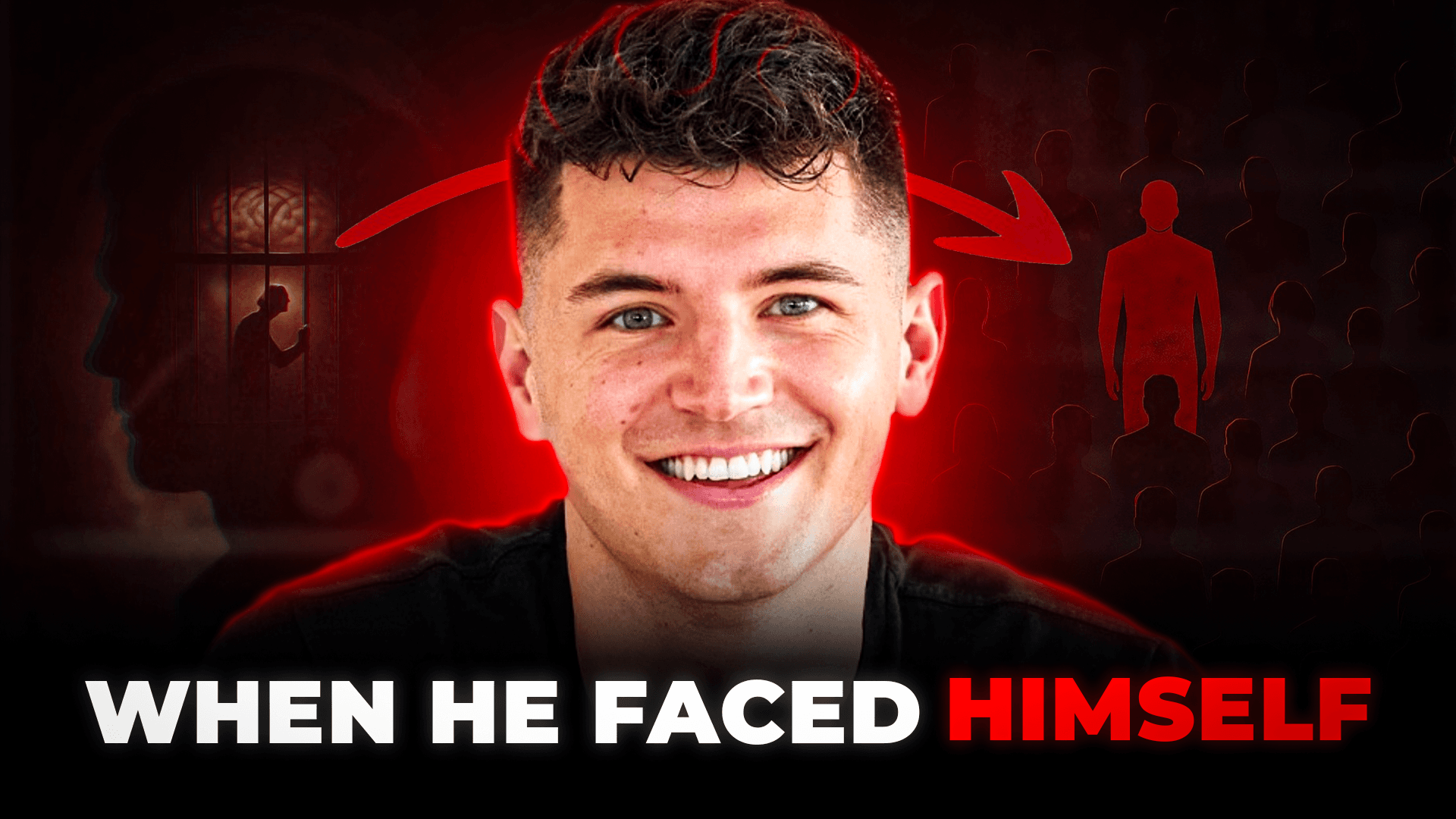
Viral YouTube thumbnail design example 1 — trending in 2025
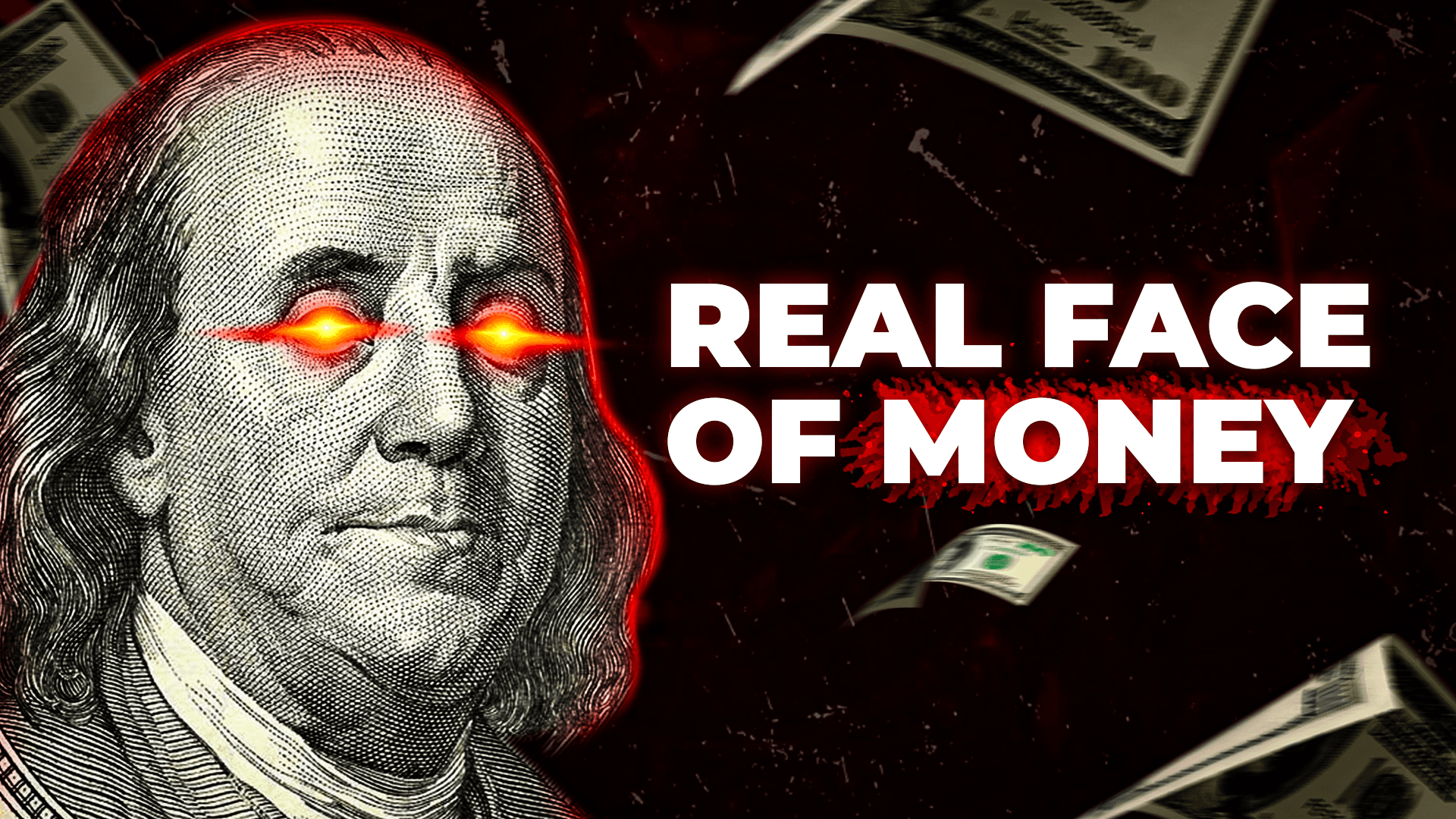
Viral YouTube thumbnail design example 2 — trending in 2025
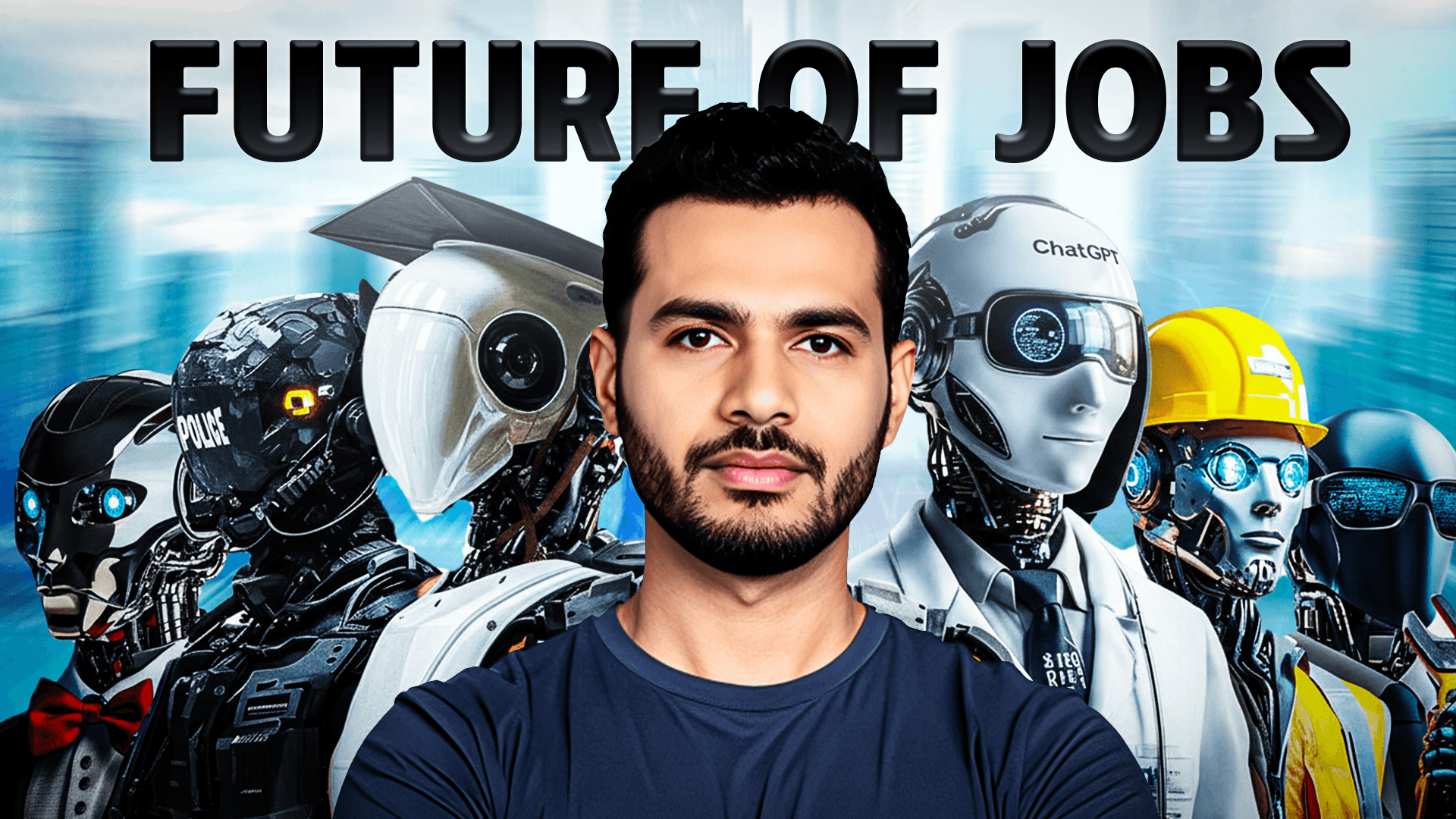
Viral YouTube thumbnail design example 3 — trending in 2025
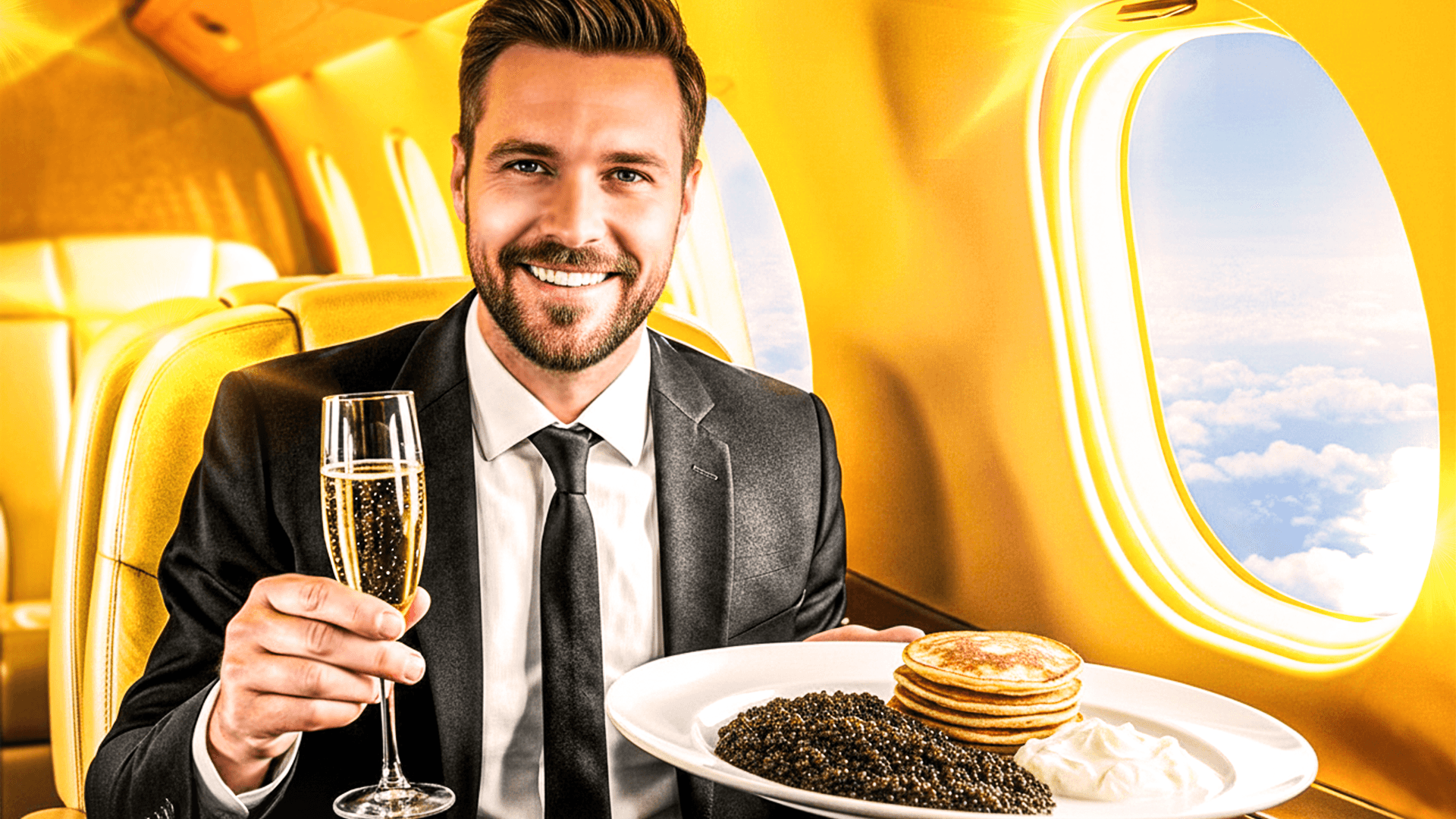
Viral YouTube thumbnail design example 4 — trending in 2025
Viral YouTube thumbnail design example 5 — trending in 2025
Viral YouTube thumbnail design example 6 — trending in 2025
10 Viral Trends for 2025
Photoshop Techniques Included
500+ Thumbnails Analyzed
3.6M+ Subscribers Served
Real Portfolio Examples
A/B Testing Data
10 Viral Trends for 2025
Photoshop Techniques Included
500+ Thumbnails Analyzed
3.6M+ Subscribers Served
Real Portfolio Examples
A/B Testing Data

Why “Viral” Thumbnail Design Is a Science, Not Luck

Every viral YouTube video has one thing in common: a thumbnail that stopped the scroll. Not luck. Not algorithm magic. A deliberate, psychologically engineered image designed to trigger a click in under 0.3 seconds — the time it takes a viewer to decide whether your video is worth their attention.

At ThumbnailMate, we've designed 500+ thumbnails for channels totaling 3.6M+ subscribers. We've A/B tested thousands of variations, studied viral patterns across every niche, and distilled everything into the 10 trends you're about to read. These aren't theoretical tips — they're the exact viral YouTube thumbnail design techniques we use daily in Photoshop to create thumbnails that consistently outperform.

“Your thumbnail is the most important piece of marketing you create for every video. It's the first impression, the promise, and the sales pitch — all in a single 1280×720 pixel image.”

Whether you're looking for the latest YouTube thumbnail design trends, learning viral YouTube thumbnail design in Photoshop, or studying YouTube thumbnail design trends that are dominating right now — this guide covers everything. Each trend includes real examples from our portfolio, step-by-step Photoshop techniques, and the psychological science behind why it works.

2025 Viral Thumbnail Trends

10 Trends Behind Viral Thumbnail Design

Each trend includes real viral YouTube thumbnail design examples from our portfolio, a deep-dive into the psychology, and step-by-step Photoshop techniques you can apply today.

Viral Trend 01

Extreme Minimalism — One Focal Point, Zero Clutter

The biggest shift in viral YouTube thumbnail design for 2025 is the death of clutter. The thumbnails getting millions of views right now feature a single, dominant focal point — one face, one object, or one dramatic moment — against a clean, uncluttered background. This isn't minimalism for aesthetic reasons; it's minimalism for survival. With over 70% of YouTube views happening on mobile, your thumbnail competes at sizes as small as 160×90 pixels. At that scale, busy compositions become visual noise. The viral thumbnails of 2025 say more with less.

Viral YouTube thumbnail design example demonstrating: Extreme Minimalism — One Focal Point, Zero Clutter
Industry Insight

MrBeast's team revealed that their highest-CTR thumbnails consistently have the fewest visual elements. Their rule: if you can't understand the thumbnail in 0.3 seconds, it fails.

Photoshop Technique

Delete everything that doesn't serve the story. Use Photoshop's Content-Aware Fill to clean backgrounds. Create depth with a 3-6px Gaussian blur on the background layer, keeping only your subject razor-sharp. This simulates cinematic depth-of-field and naturally guides the eye.

Viral Trend 02

Hyper-Expressive Faces That Trigger Instant Emotion

The human brain processes faces 60,000 times faster than text. In 2025, the viral YouTube thumbnail design formula has doubled down on this — but with a twist. It's no longer enough to show a face. The face must express a single, unmistakable, exaggerated emotion: jaw-dropping surprise, genuine fear, uncontrollable excitement, or deep skepticism. These "hyper-expressions" act as emotional contagion — the viewer involuntarily mirrors the emotion and feels compelled to discover what caused it. This is the single most powerful lever in viral thumbnail design in Photoshop.

Viral YouTube thumbnail design example demonstrating: Hyper-Expressive Faces That Trigger Instant Emotion
Industry Insight

Thumbnails featuring close-up faces with exaggerated emotions achieve 25-40% higher CTR than thumbnails with neutral expressions or no faces, according to data from channels we've worked with totaling 3.6M+ subscribers.

Photoshop Technique

Use the Liquify tool (Filter → Liquify) to subtly enhance expressions: slightly widen eyes, deepen the mouth expression, and raise eyebrows. What feels extreme in Photoshop looks natural at thumbnail size. Use Dodge & Burn on the eyes to add catchlights and draw attention.

Viral Trend 03

Cinematic Color Grading — The Hollywood Effect

The latest YouTube thumbnail design trend borrowed straight from Hollywood: cinematic color grading. Instead of using raw, unprocessed screenshots, viral thumbnails in 2025 apply film-grade color science — warm highlights paired with cool shadows, complementary color splits, and atmospheric color washes. This creates a visual quality that subconsciously signals "premium content" to the viewer. The most viral thumbnails don't just look good — they feel expensive. And viewers associate production quality in the thumbnail with production quality in the video.

Viral YouTube thumbnail design example demonstrating: Cinematic Color Grading — The Hollywood Effect
Industry Insight

YouTube's algorithm doesn't directly measure thumbnail quality, but it measures what quality influences: CTR and watch time. Channels that upgraded to cinematic color grading saw average CTR increases of 15-25% — with no other changes to their content.

Photoshop Technique

Create a Color Lookup adjustment layer and experiment with cinematic LUTs (look-up tables). Then add a Curves adjustment: lift blues in the shadows, add warmth to highlights. Finish with a Color Balance layer — push shadows toward teal/blue and highlights toward orange/amber. This teal-and-orange look is the dominant color trend in viral thumbnails right now.

Viral Trend 04

The Curiosity Gap — Text That Forces a Click

Gone are the days of repeating your video title on the thumbnail. The viral YouTube thumbnail design strategy for 2025 uses what psychologists call the "curiosity gap" — presenting just enough information to raise a burning question, but not enough to answer it. The thumbnail and title work as a single unit: the thumbnail is the emotional hook (a shocking image with cryptic text like "IT WORKED" or "DAY 100"), and the title is the rational promise (what the viewer will learn). This creates an information gap that the viewer's brain can only resolve by clicking.

Viral YouTube thumbnail design example demonstrating: The Curiosity Gap — Text That Forces a Click
Industry Insight

George Blackman (former head of content strategy at Ali Abdaal's team) calls this the 'title-thumbnail marriage.' If your thumbnail repeats the title, you've wasted 50% of your real estate. The best viral thumbnails tell a different — but complementary — story.

Photoshop Technique

Place text on the opposite side of the face (if face is left, text goes right). Use ALL CAPS with a bold sans-serif font (Impact, Bebas Neue, or Montserrat Black). Add a 3-4px stroke in a contrasting color and a heavy drop shadow. The text should be readable at 160×90px — test this before publishing.

Viral Trend 05

Dramatic Lighting & Rim Light Separation

Flat, evenly-lit thumbnails are dead. The viral YouTube thumbnail design trend for 2025 is dramatic, directional lighting that creates mood and depth. Rim lighting — a bright halo or edge light around the subject — has become the signature technique of top thumbnail designers. It separates the subject from the background, creates a sense of three-dimensionality, and adds a professional, cinematic quality that template-based designs simply cannot replicate. This is one of the most impactful viral YouTube thumbnail design techniques in Photoshop.

Viral YouTube thumbnail design example demonstrating: Dramatic Lighting & Rim Light Separation
Industry Insight

The rim light technique originated in portrait photography and film cinematography. In thumbnail design, it serves a dual purpose: artistic depth AND functional separation. At small sizes, subjects without rim lighting merge into their backgrounds and become unreadable.

Photoshop Technique

Create a new layer above your subject. Ctrl/Cmd+Click the subject layer to load the selection. Go to Select → Modify → Contract (2px). Invert the selection. Brush a bright color (white, orange, or cyan) along the edges using a soft round brush at 60-80% opacity. Set the layer to Screen or Color Dodge. This creates a realistic rim light effect.

Viral Trend 06

Story-Driven Compositions — Before/After & Transformation

The most viral thumbnails of 2025 don't just show a face or an object — they tell a story in a single frame. Story-driven compositions use visual contrast to imply transformation, conflict, or a journey: before vs. after, small vs. big, loss vs. gain, danger vs. safety. This narrative approach triggers the viewer's pattern-seeking brain — they see an unfinished story and feel compelled to learn the ending. Split compositions, diagonal divides, and contrasting visual elements are the tools of this trend.

Viral YouTube thumbnail design example demonstrating: Story-Driven Compositions — Before/After & Transformation
Industry Insight

Story-driven thumbnails have the highest average view duration of any thumbnail style. Why? Because viewers who click on a story-driven thumbnail are pre-primed with a narrative expectation — they're invested before the video even starts. This creates a positive feedback loop with YouTube's algorithm.

Photoshop Technique

Create a split composition by using a diagonal gradient mask. Place the 'before' state on one side and the 'after' state on the other. Use contrasting color temperatures (cool blues for 'before', warm oranges for 'after') to reinforce the transformation visually. Add a subtle glow or energy effect at the dividing line.

Viral Trend 07

AI-Enhanced Backgrounds With Authentic Faces

The hybrid AI-human approach is the latest YouTube thumbnail design revolution. In 2025, top designers use AI tools like Midjourney, Adobe Firefly, and DALL-E to generate photorealistic backgrounds, environments, and props — then composite real human faces and expressions in Photoshop. This gives thumbnails a visual quality that would take hours to create from scratch, while maintaining the authentic human connection that drives clicks. The key rule: AI for environments, humans for emotion. Viewers connect with real faces but are impressed by fantastical settings.

Viral YouTube thumbnail design example demonstrating: AI-Enhanced Backgrounds With Authentic Faces
Industry Insight

AI-generated faces still trigger an 'uncanny valley' effect that reduces trust and CTR. The most successful hybrid thumbnails use AI only for elements the viewer won't scrutinize — backgrounds, lighting effects, textures, and props — while keeping human faces 100% authentic.

Photoshop Technique

Generate your background in Midjourney or Firefly using a detailed prompt that matches your video's theme. Import it into Photoshop as the base layer. Cut out your real subject using Select Subject → Select and Mask. Match the lighting direction using Curves adjustments and manual dodge/burn. Add atmospheric effects (fog, particles, light rays) using overlay layers.

Viral Trend 08

Neon Accents & Glow Effects for Pattern Disruption

In the sea of thumbnails competing for attention in the YouTube browse feed, pattern disruption is everything. The viral YouTube thumbnail design trend of neon accents and strategic glow effects creates an immediate visual pop that breaks the scrolling pattern. Neon outlines around subjects, glowing text, and atmospheric color washes in electric blue, hot pink, or acid green create a "premium digital" aesthetic that dominates gaming, tech, and lifestyle content. When used strategically — not excessively — glow effects make thumbnails appear to literally light up the feed.

Viral YouTube thumbnail design example demonstrating: Neon Accents & Glow Effects for Pattern Disruption
Industry Insight

Pattern disruption works because of the Von Restorff effect (isolation effect) — items that stand out from their surroundings are more likely to be remembered and clicked. A glowing thumbnail in a feed of matte thumbnails captures attention involuntarily.

Photoshop Technique

Select your subject and create a 2-3px stroke in a neon color (cyan #00FFFF, magenta #FF00FF, or electric orange #FF6B35). Duplicate the stroke layer and apply a 15-20px Gaussian Blur, then set to Screen. This creates a realistic neon glow. For glowing text, use the same technique with an Inner Glow and Outer Glow layer style.

Viral Trend 09

Numbers as Visual Anchors — The Dollar/Day/Count Effect

Numbers are pattern interrupts. In a feed full of abstract imagery and vague promises, a specific number — $10,000, DAY 100, 1 MILLION, 0.01% — creates an instant anchor of credibility and stakes. This viral YouTube thumbnail design technique works across every niche because numbers communicate scale, specificity, and stakes without requiring the viewer to process abstract concepts. The number becomes the visual anchor that grounds the emotional story the rest of the thumbnail tells.

Viral YouTube thumbnail design example demonstrating: Numbers as Visual Anchors — The Dollar/Day/Count Effect
Industry Insight

Round numbers ($5,000, 100 DAYS, 1 MILLION) outperform precise numbers ($4,873, 97 DAYS, 1,048,576) in thumbnail text. Round numbers are processed faster by the brain — and at thumbnail scale, processing speed is everything. The exception: very small or very specific numbers (0.01%, $1) that imply an extreme or surprising value.

Photoshop Technique

Make the number the single largest text element — 2-3x larger than any other text. Use a contrasting color from your background (yellow/white on dark, black/navy on light). Add a thick stroke (4-5px) and a heavy drop shadow for mobile readability. Position the number near the center or upper third of the composition.

Viral Trend 10

Brand Systems — The Recognizable Visual Signature

The final trend separating viral channels from stagnant ones: brand systems. The most successful YouTube channels of 2025 don't just create great individual thumbnails — they create a recognizable visual language that viewers identify instantly in the browse feed. This means a consistent color palette (2-3 signature colors), a recurring text style, a signature face crop and position, and a composition template that remains consistent while the content varies. Brand recognition compounds over time: each video thumbnail reinforces the brand, making every subsequent thumbnail more likely to be clicked.

Viral YouTube thumbnail design example demonstrating: Brand Systems — The Recognizable Visual Signature
Industry Insight

Think of brand systems like a Netflix show's visual identity. When you see a thumbnail from Towards Eternity, MrBeast, or Veritasium, you know it's theirs before reading the title. This instant recognition builds trust, and trust increases CTR exponentially over time — especially for returning viewers who represent the highest watch-time cohort.

Photoshop Technique

Create a Photoshop template with locked guide layers: brand color swatches, text position guides, face crop zones, and logo placement. Save it as a .PSD template. For each new thumbnail, duplicate the template and swap the subject and background. This ensures consistency while keeping each thumbnail unique.

Viral Thumbnail Design in Photoshop

The 6-Step Photoshop Workflow

The exact process professional thumbnail designers use to create viral YouTube thumbnail designs in Photoshop. Follow this workflow to go from raw footage to click-worthy thumbnail in under 30 minutes.

01

Subject Extraction

Use Select Subject → Select and Mask to cut out your subject with pixel-perfect edges. Refine hair and fine details with the Refine Edge Brush.

02

Background Creation

Generate or source a background that matches your video's theme. Apply Gaussian Blur (3-6px) for cinematic depth. Match the lighting direction to your subject.

03

Color Grading

Add Curves, Color Balance, and Color Lookup adjustment layers. Push shadows toward teal/blue and highlights toward orange/amber for the cinematic look.

04

Rim Light & Glow

Add rim lighting around the subject for separation. Use Screen blend mode with soft brushes. Add atmospheric glow effects for depth and mood.

05

Text & Typography

3-5 words max in a bold sans-serif font. Add a 3-4px stroke and heavy drop shadow. Test readability at 160×90px — the mobile feed size.

06

Final Polish & Export

Sharpen with Unsharp Mask. Check composition at multiple sizes. Export as PNG/JPG at 1280×720 or higher. Create 2-3 variations for A/B testing.

Don't have time to master Photoshop? We'll do it for you.

Get 3 Free Viral Thumbnails

The Data Behind Viral Thumbnails

Numbers from our thumbnail design work across multiple niches and channels.

0.3s
Time to decide a click
Average viewer decision speed
40%
CTR lift with faces
Vs. thumbnails without faces
70%
Views on mobile
Why mobile-first design matters
3-5
Words max on thumbnail
For mobile readability

The Bottom Line: What Makes a YouTube Thumbnail Go Viral in 2025

After analyzing 500+ viral YouTube thumbnails and designing for channels across gaming, documentary, finance, tech, motivational, and Islamic content niches, the pattern is clear:

Viral YouTube thumbnail design in 2025 is about clarity, emotion, and pattern disruption.

  • Clarity: One focal point. 3-5 words max. Readable at mobile size. No clutter.
  • Emotion: A hyper-expressive face that triggers involuntary emotional mirroring. The viewer should feel something before they process anything.
  • Pattern disruption: High-contrast colors, cinematic grading, neon accents, or story-driven compositions that break the visual monotony of the browse feed.

The latest YouTube thumbnail design trends all converge on one truth: the best thumbnails are not just images — they are psychological triggers engineered in Photoshop. Every color choice, every facial expression, every text placement is deliberate. And the channels that treat thumbnail design with this level of strategic intent are the ones that go viral.

“A great thumbnail doesn't just get a click. It gets the rightclick — a viewer who's pre-primed with the right expectation, who watches longer, engages more, and triggers the algorithm to push the video further.”

If you want to implement every one of these viral YouTube thumbnail design trends on your channel — without spending hours in Photoshop — that's exactly what ThumbnailMate does. We apply every technique from this guide to every thumbnail we design, backed by A/B testing data and years of experience across every niche.

Want Thumbnails That Actually Go Viral?

Most creators know what viral thumbnails look like — but can't replicate them consistently. That's where ThumbnailMate comes in. We apply every single viral thumbnail design trend from this guide to every thumbnail we create.

  • All 10 viral trends applied to every thumbnail
  • Custom Photoshop compositing — never templates
  • Cinematic color grading on every design
  • A/B testing on every video
  • Unlimited revisions included
  • From $13 per thumbnail
Free Trial
3 Viral Thumbnails

No commitment. No credit card. Just send a brief on WhatsApp and see what professional viral thumbnail design looks like.

Get 3 Free Viral Thumbnails

Trusted by channels with 3.6M+ subscribers

FAQ

Viral Thumbnail Questions Answered

Related Guides

Chat with us! 💬